

BACB Session Plans
Every ABA organization has two Session Plan types for BACB work. A completed one feeds the BACB Fieldwork Report and the BACB Ongoing Supervision Report. A Session Plan of any other type counts too, once it has a Supervision Type, which happens only if an admin has added that field to the type.
The two types
Section titled “The two types”| BACB Supervision | BACB Independent Session | |
|---|---|---|
| Records | A supervisor meeting a trainee, RBT or BCaBA | A trainee’s own independent fieldwork |
| People | Supervisor and Supervisee | Supervisor and Supervisee, both you |
| Starts as | Pending | Done |
| Notes | As on any Session Plan | No Agenda or Supervisor Notes |
| BACB fields | Supervision Type, Format, Activity Category, Concentrated Fieldwork, Client Observed, Observation Minutes | Supervision Type, set to Independent; Activity Category; Concentrated Fieldwork; Observation Minutes |
On both types the form names the people Supervisor and Supervisee instead of Observer and Observee. The Supervisor list holds Staff only.
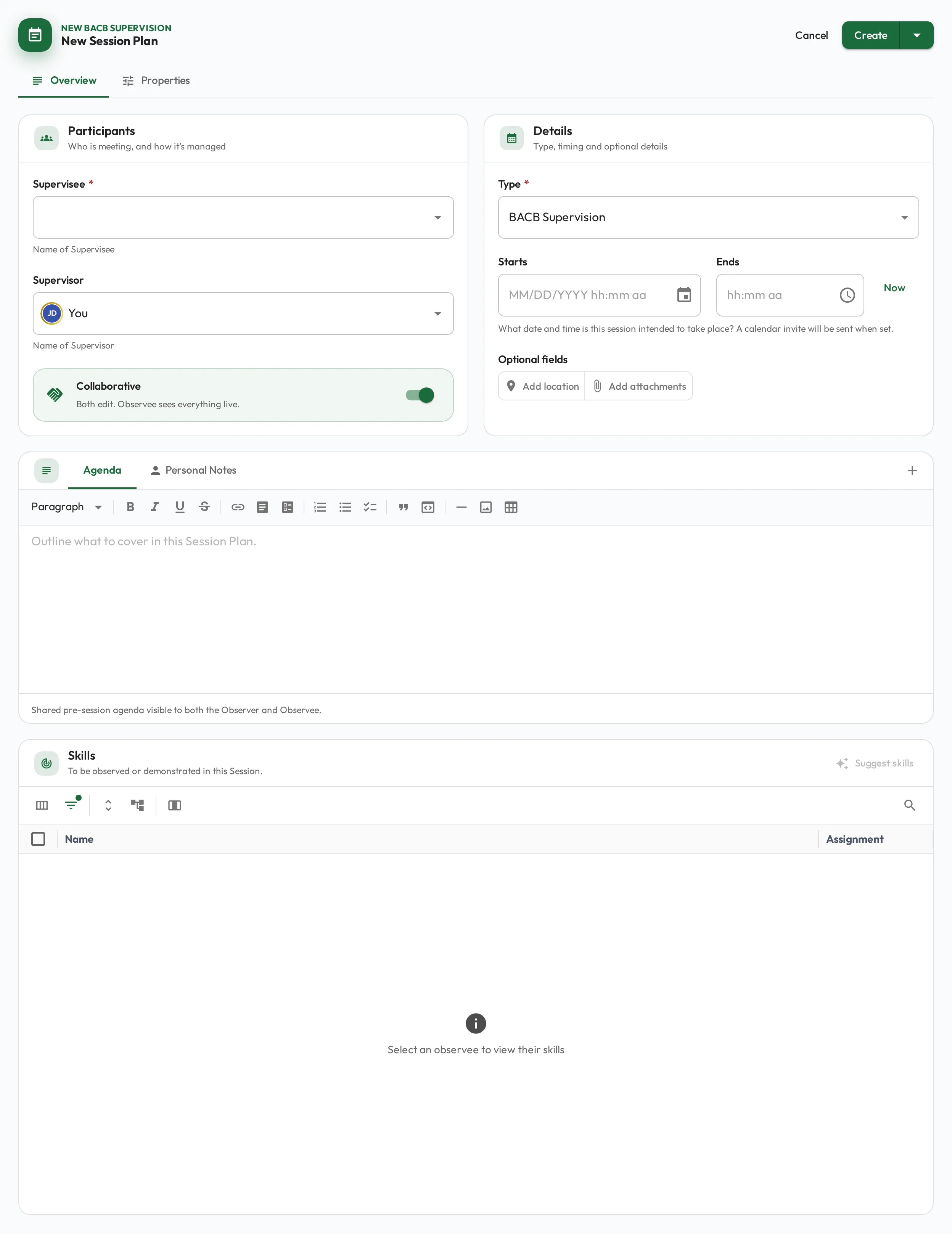
The BACB fields
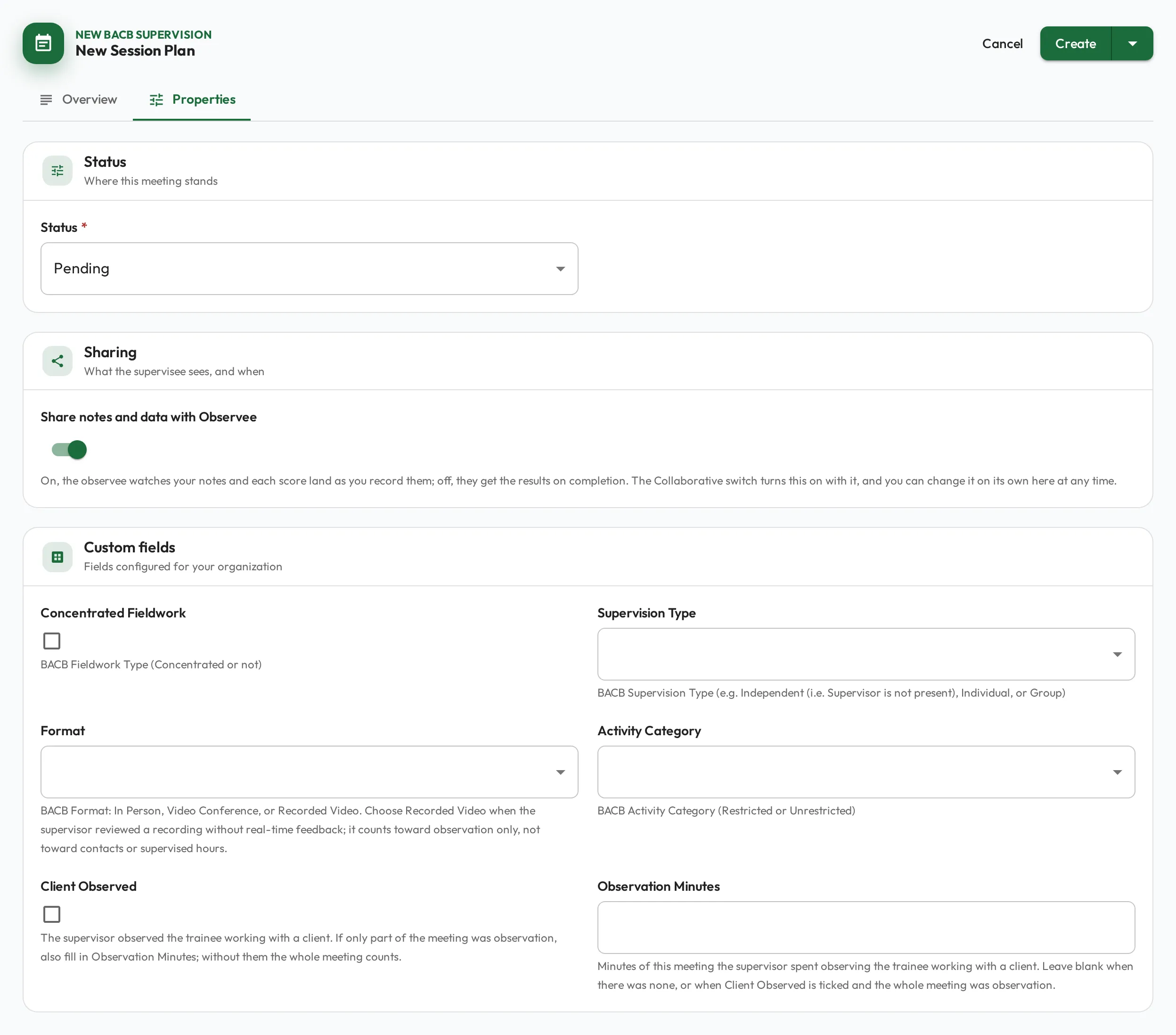
Section titled “The BACB fields”The fields sit in the Custom fields card: on the Properties tab while you plan or edit a Session Plan, and on the Details tab while it runs. Each field’s help text under it says what to enter.
| Field | Choices | How the reports read it |
|---|---|---|
| Supervision Type | Independent, Individual, Group | Independent adds to the trainee’s independent hours. Individual and Group add to supervised hours, and each such session is a supervision contact. |
| Format | In Person, Video Conference, Recorded Video | Choose Recorded Video when the supervisor reviewed a recording without real-time feedback. It counts toward observation only, not toward hours or contacts. |
| Activity Category | Restricted, Unrestricted | Splits fieldwork hours into Restricted and Unrestricted. |
| Concentrated Fieldwork | Checkbox | Ticked, the session counts as concentrated fieldwork and is checked against the concentrated requirements. |
| Client Observed | Checkbox | The supervisor observed the trainee working with a client. Without Observation Minutes, the whole session counts as observation. |
| Observation Minutes | Number | The minutes the supervisor spent observing the trainee with a client, when that was only part of the session. More than the session’s length counts as its length. |
The reports take a session’s length from its start and end time, rounded to the minute. On the form, setting a start fills the end an hour later, so change the end to when the session really finished.
What a Session Plan needs to count
Section titled “What a Session Plan needs to count”A Session Plan counts only once it is Done and has each of these. Until then it counts toward nothing, and once it is Done or has ended the reports list it under Count toward nothing:
- a start date and time, and an end time;
- a Supervision Type of Independent, Individual or Group (a Recorded Video review may leave it blank);
- an Activity Category, for the BACB Fieldwork Report only;
- for a Recorded Video review, Observation Minutes or a ticked Client Observed.
A Session Plan that is not Done is listed once it has ended, past its end time or, with no end, its start time, with Mark it done, or cancel it if it did not happen. Cancelled Session Plans, and ones not yet Done that haven’t ended, are not listed.
The BACB Fieldwork Report also flags a counted Session Plan that misses a detail BACB asks you to record, under Missing a detail BACB asks for:
- a location, when the supervisor observed the trainee with a client;
- a summary of the supervision in Observation Notes, on an Individual or Group session that is not a Recorded Video review;
- Observation Minutes that is not a number, or is longer than the session.
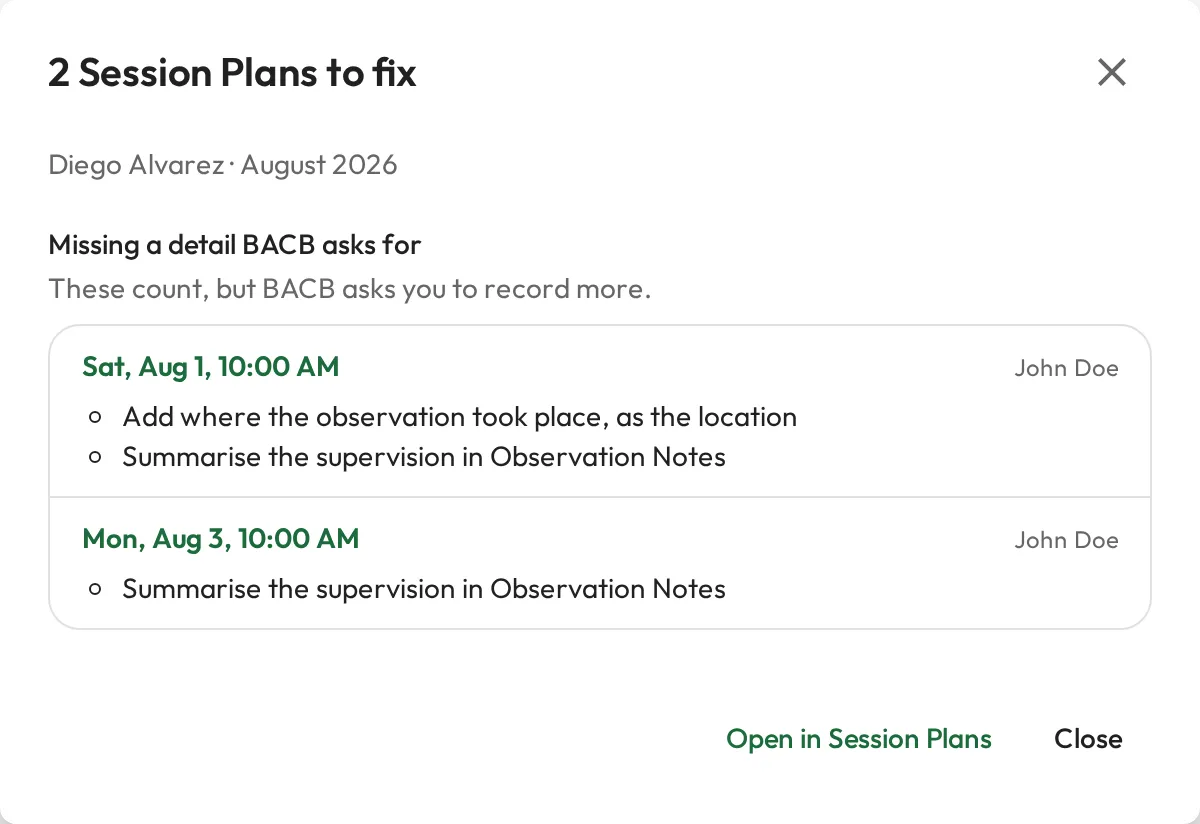
For how to find and fix these from the report, see Documentation and Session Plans to fix.
Add an independent session
Section titled “Add an independent session”Trainees log their independent fieldwork hours as BACB Independent Sessions. The dashboard’s Quick Actions card has Add Independent Session for anyone who can create Session Plans and whose person type has the BACB certification fields, by default Staff.
-
On the Dashboard, select Add Independent Session in Quick Actions. The New Session Plan form opens with the type set to BACB Independent Session and you as both Supervisor and Supervisee.
-
On the Overview tab, set the date, start time and end time of the hours you worked.
-
On the Properties tab, the Status is already Done and Supervision Type is Independent. Set Activity Category, and tick Concentrated Fieldwork if the hours were concentrated.
-
Save it. With a start time set, the button reads Create & Send Invite; choose Create Only from its menu to save without emailing yourself a calendar invite.