

Overlaps in clinic, home or school
Most of what a supervisor needs to see happens away from a desk: at the therapy table in the clinic, on the living-room floor during an in-home session, in a classroom. Behaview works on your phone or tablet, so you can take data during the overlap instead of writing it up from memory afterwards.
Assess during the session
Section titled “Assess during the session”While the RBT works with the Client, you watch and score the skills that show up: running a discrete-trial program, using the prompt hierarchy, delivering reinforcement, recording data, following the behavior intervention plan. It is the same Session Plan you would run in an office, so the result lands in the same record and feeds the RBT’s skill progress like any other observation. Plan the Session Plan ahead, or start one on the spot and score what you see as it happens.
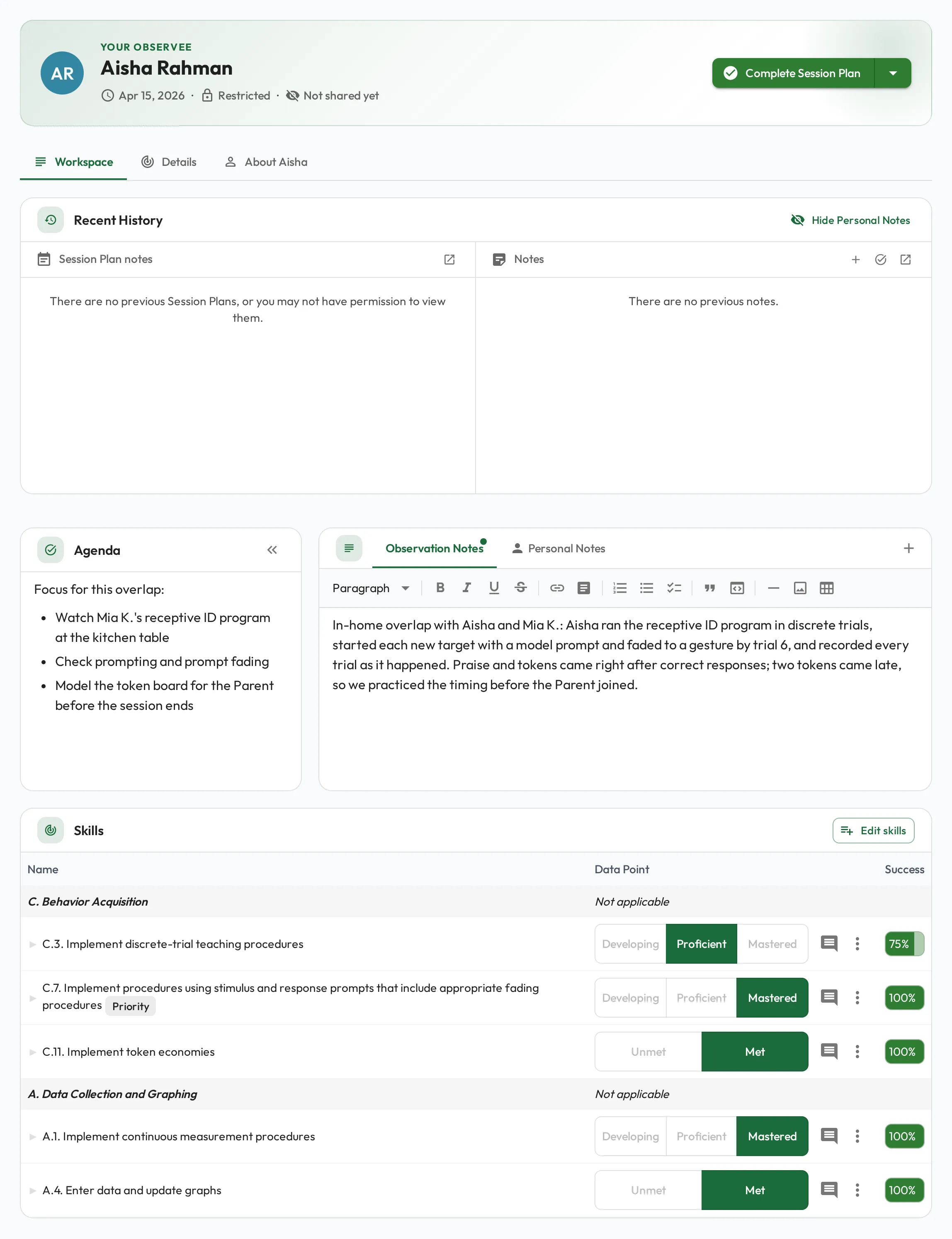
You do not have to score everything. Rate only what there was time to see; skipped skills are left untouched. For the full data-taking detail, see Running a session.
Quick ways in
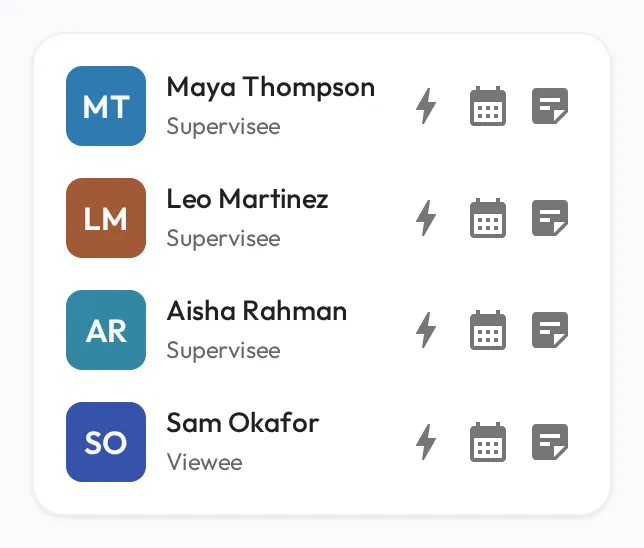
Section titled “Quick ways in”Everyone you supervise is in My Direct Team on your dashboard, and it fits a phone screen. With the RBT in front of you, two buttons cover most moments:
- The Quick Start button starts a session on the spot, with you as Observer, them as Observee, and up to five of their priority and required skills already selected.
- The Add a Note button captures a quick note when you only have a few seconds.
Quick Start creates a Session Plan of your organization’s default type, shown as Session Plan, which does not count toward BACB requirements. To count the overlap, change its Type to BACB Supervision, as described in Routine 1:1 supervision.