

A trainee's fieldwork month, start to report
A trainee accruing supervised fieldwork toward BCBA or BCaBA certification logs their independent hours, meets their supervisor, and at the end of each month needs to know whether the month counts. In Behaview every piece of that is a Session Plan, and the BACB Fieldwork Report checks each month against BACB’s requirements as the Session Plans come in.
Set up the trainee
Section titled “Set up the trainee”-
Fill in their certification fields. On the trainee’s profile, set Pursuing BACB Certification to BCBA or BCaBA; a trainee with it blank is not on the report. Add Fieldwork State and Fieldwork Country as they appear on BACB verification forms. See Certification fields.
-
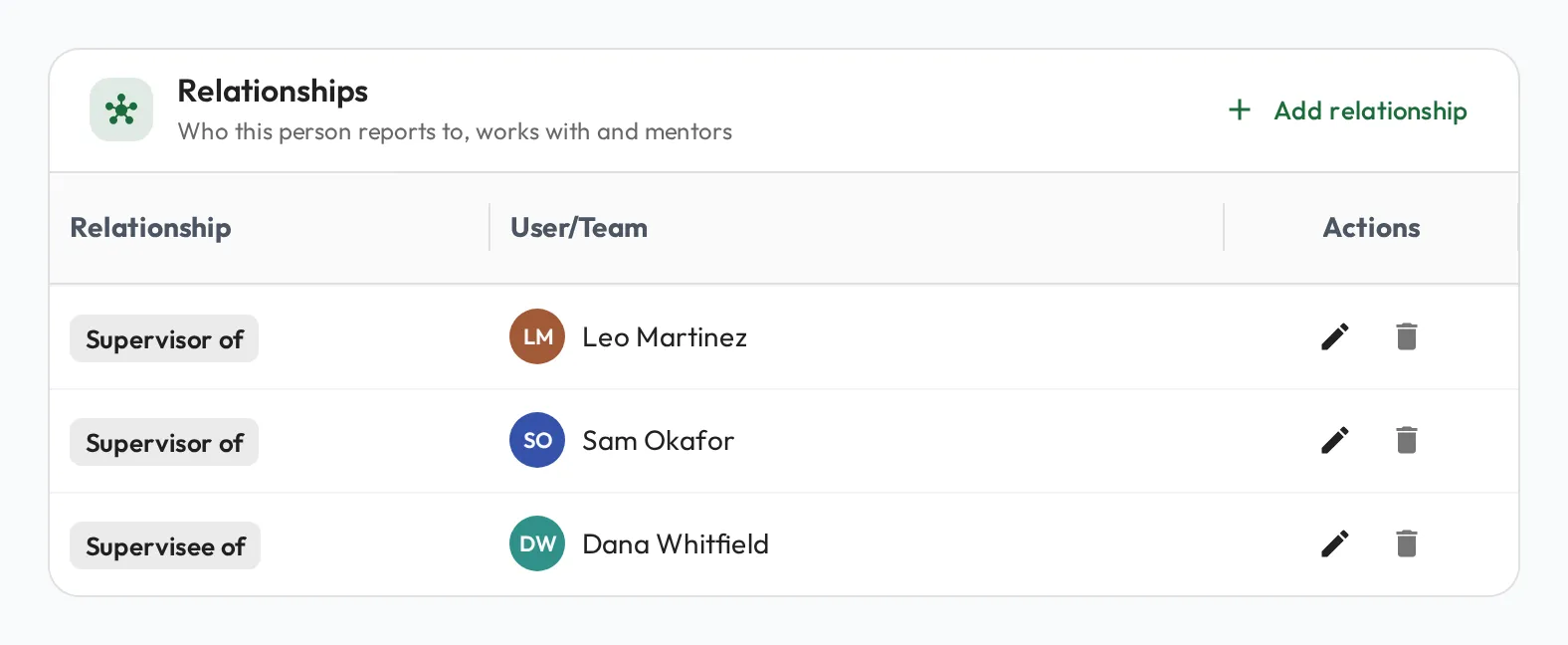
Connect them to their supervisor. Give the trainee a Supervisor relationship with each BCBA who supervises their fieldwork. A supervisor does not have to be their line manager: it can be any qualified supervisor in your organization, which matters when a trainee works across clinics.
Through the month
Section titled “Through the month”-
The trainee logs independent hours. From Quick Actions on their dashboard, Add Independent Session opens a new BACB Independent Session with the trainee already set as both Supervisee and Supervisor and the status set to Done. They set Starts and Ends, and on Properties choose the Activity Category (Restricted or Unrestricted) and tick Concentrated Fieldwork if it applies. They can describe the work in Observation Notes.
-
The trainee books supervision. Request Feedback in Quick Actions opens a new Session Plan with the trainee already filled in as the person being observed. They set Type to BACB Supervision, pick their supervisor, choose the skills they want feedback on, such as BCBA Test Content Outline items, and write the agenda. Because they are booking for themselves, the form confirms You manage this Session Plan, so they can keep editing it. See Planning a Session Plan.
-
The supervisor runs it. The supervisor observes and scores skills like any Session Plan, then fills in the BACB fields under Custom fields on the session’s Details tab: Supervision Type (Individual or Group), Format, Activity Category, and Client Observed or Observation Minutes when they watched the trainee with a Client. They summarize the supervision in Observation Notes, then complete it. See BACB Session Plans.
Check the month on the report
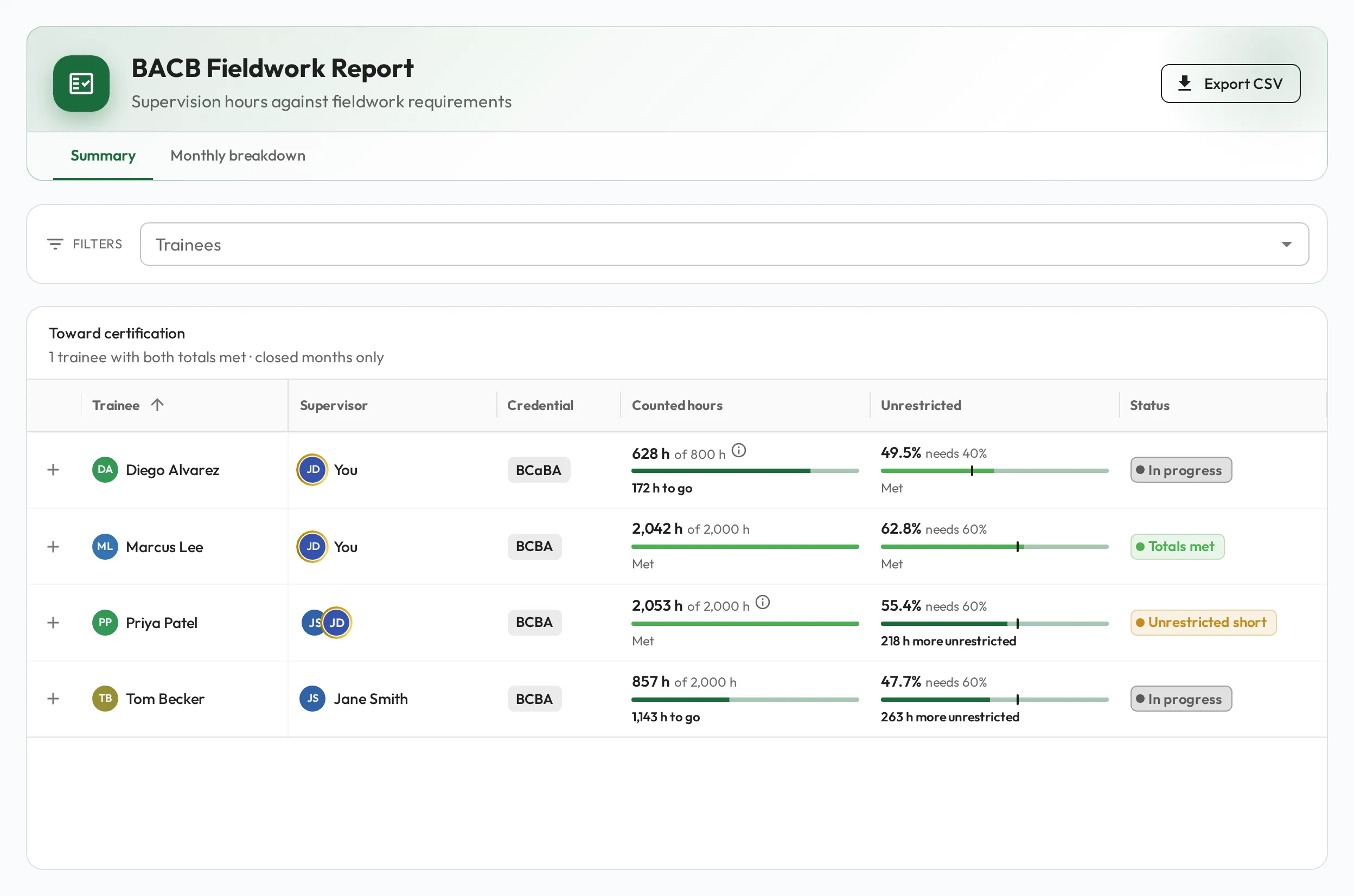
Section titled “Check the month on the report”Open Reports and, under ABA & BACB Reports, select BACB Fieldwork Requirements. The BACB Fieldwork Report opens on Summary: each trainee’s counted hours toward their credential’s total, and their unrestricted share.
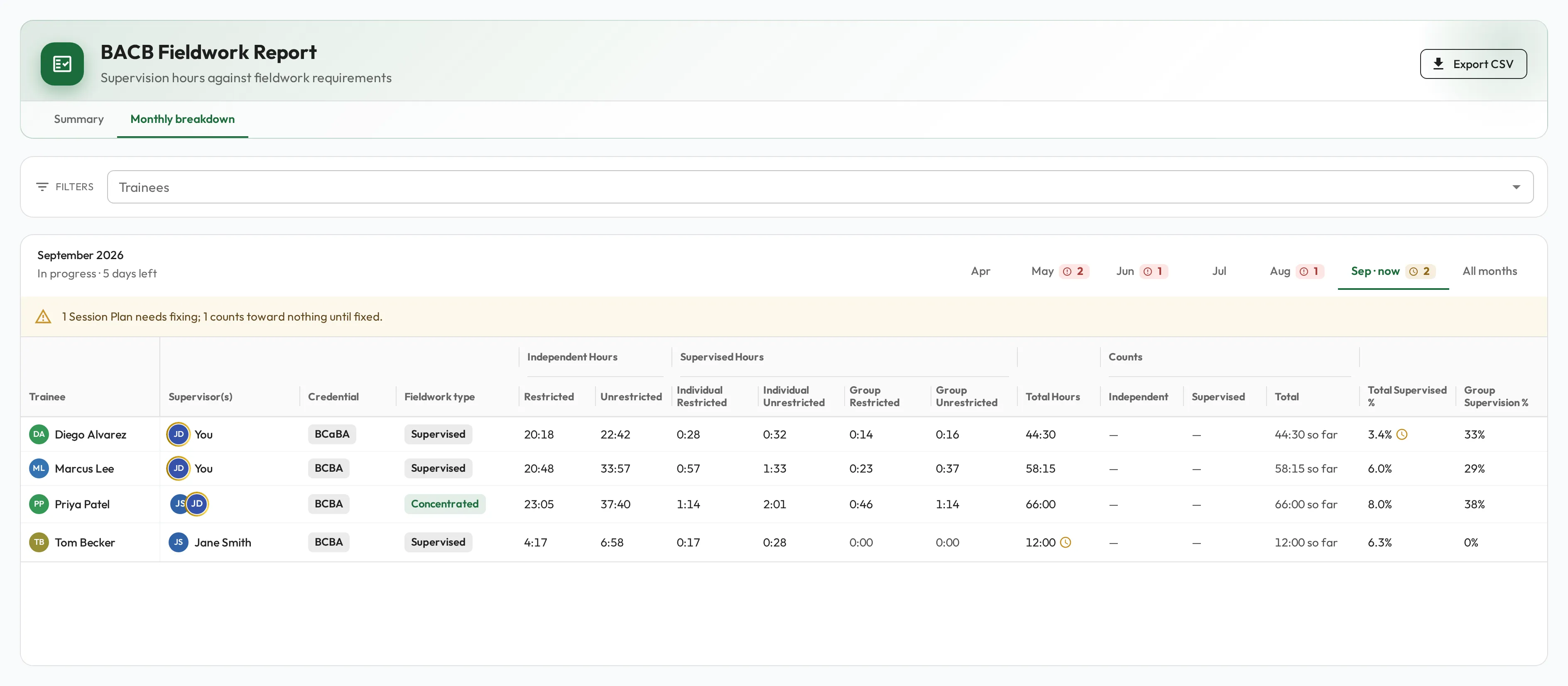
Select Monthly breakdown for the months: a tab for each of the last six months, plus All months. The selected month’s heading reads In progress with the days left for the current month, or Closed for an earlier one. Each trainee’s row splits their hours into Independent Hours and Supervised Hours and checks the month: 20 to 160 hours logged, enough of them supervised, enough time observed with a Client, and group supervision no more than individual. A gap shows as To go while the month is open and Short once it has closed. For the exact thresholds and how a closed month is adjusted, see BACB Fieldwork Report.
Fix what is missing
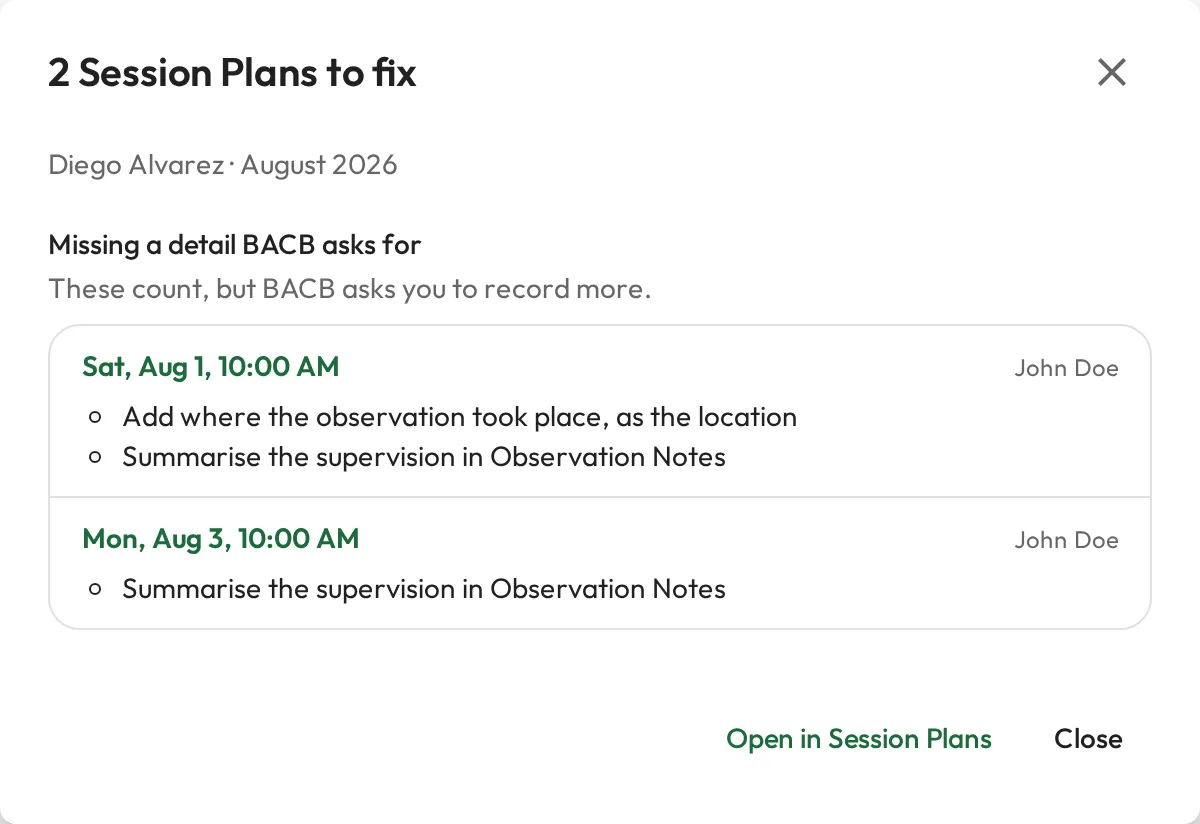
Section titled “Fix what is missing”When a Session Plan is missing something, the trainee’s Documentation cell shows a button such as 2 to fix. It opens the list of those Session Plans, split into the ones that count toward nothing until fixed and the ones that count but are missing a detail BACB asks for, such as a summary in Observation Notes. Select a Session Plan’s date to open it, then re-open it, fix it and complete it again.
Export CSV downloads the view that is open, for the trainees in the report or those picked under Trainees: one line per trainee on Summary, and every month with all the columns on Monthly breakdown.
The trainee keeps their own records
Section titled “The trainee keeps their own records”The trainee can check their own months too. Under Reports › ABA & BACB Reports, BACB Records opens on their own BACB Session Plans, with what each one misses, and its Fieldwork tab shows their months under their totals. Export CSV downloads the open tab, to keep with their fieldwork documentation. See BACB Records.