

KPIs & analytics
Once data is imported, you can manage by it. Behaview turns it into KPIs and dashboards, so a clinical director can follow delivered sessions, cancellations and treatment fidelity across clinics in one place. Every number is a query, in plain English or SQL, so it shows exactly what you need and nothing more.
Dashboards for monitoring
Section titled “Dashboards for monitoring”A dashboard charts the data you have imported, giving a clinic or an individual one place to see how they are doing instead of piecing it together from separate exports. Add variables (a date range, a clinic) so one dashboard answers many questions across people and periods.
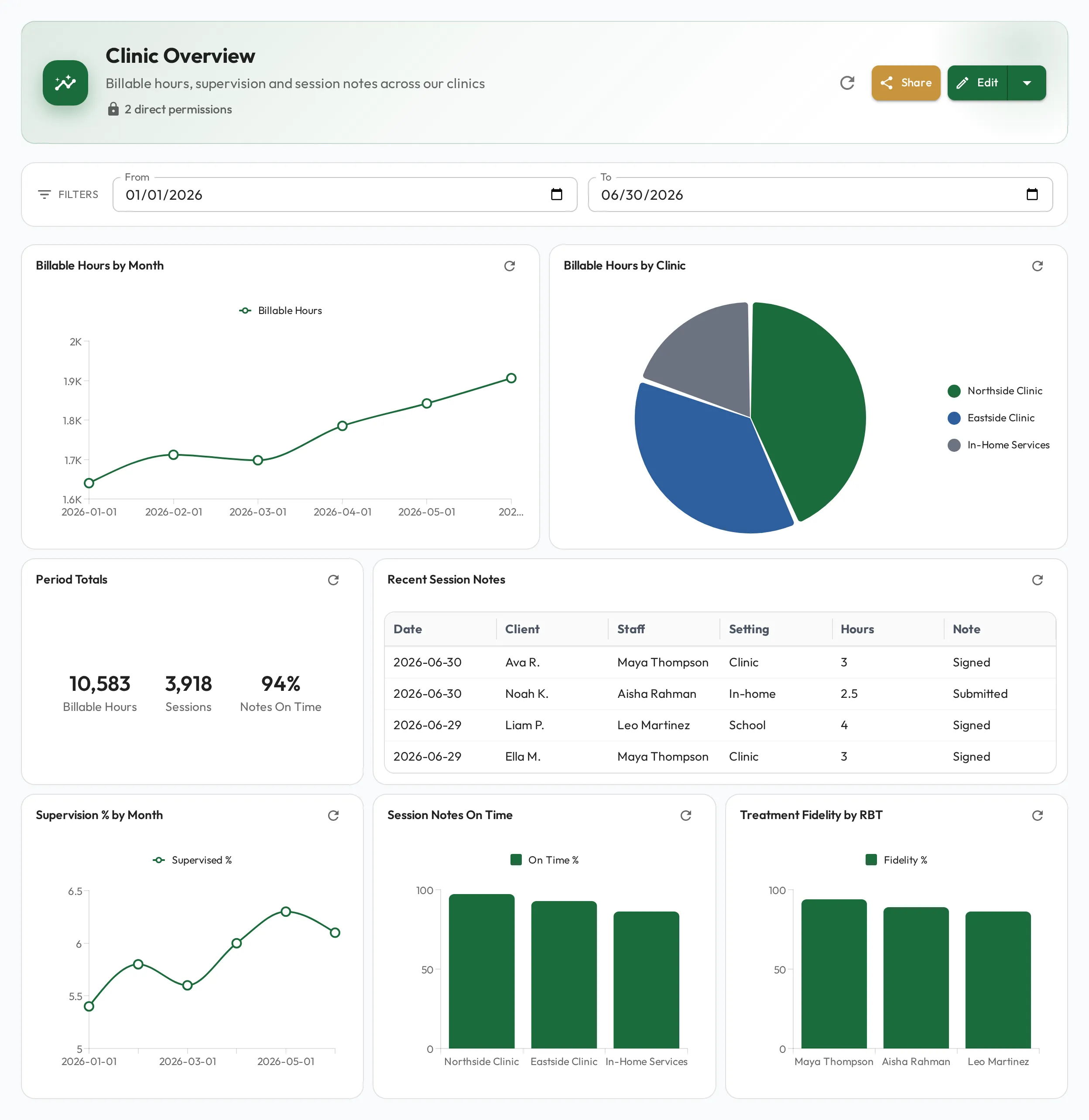
Precise metrics, written as queries
Section titled “Precise metrics, written as queries”Each chart, stat card or table widget is driven by a query. Describe what you want in plain English and Behaview drafts the query and picks the chart (line, bar, pie, stat card or table) from the shape of the result. You do not need to know SQL to put a precise metric on screen.
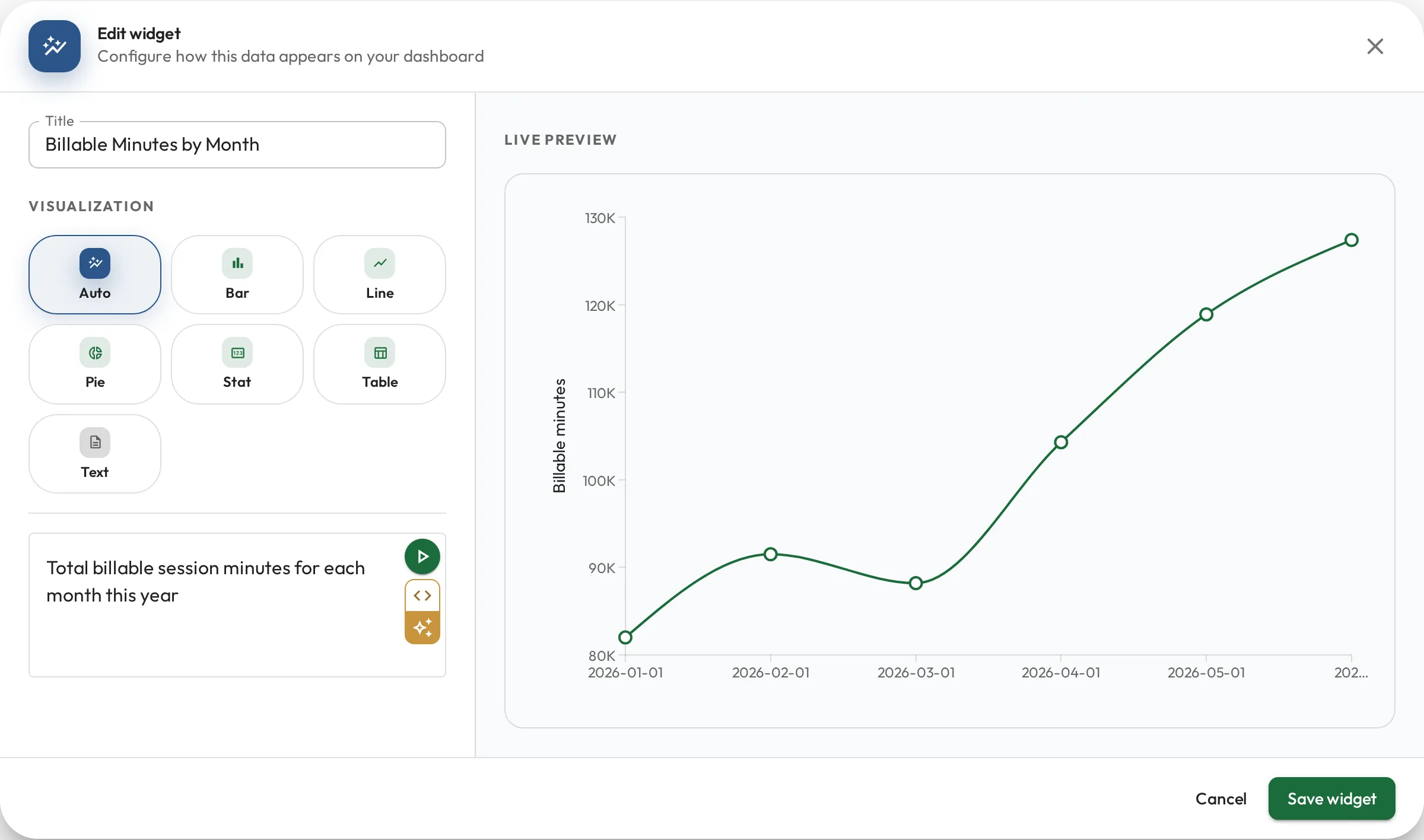
Average treatment fidelity score per week for :staff_id
SELECT date_trunc('week', checked_at) AS week, AVG(fidelity_score) AS avg_fidelityFROM fidelity_checksWHERE rbt_id = :staff_idGROUP BY weekORDER BY weekRole metrics: a KPI per person
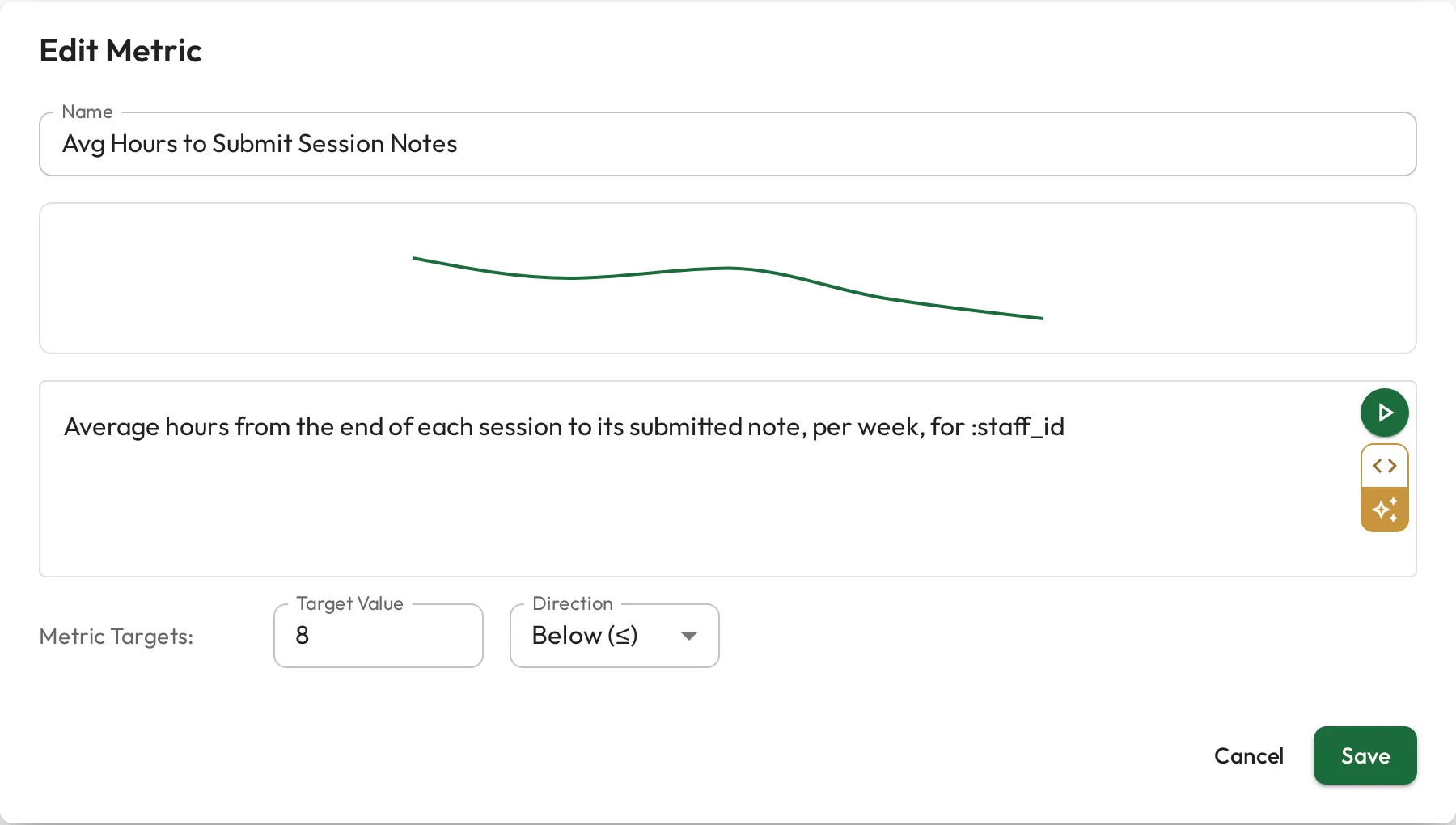
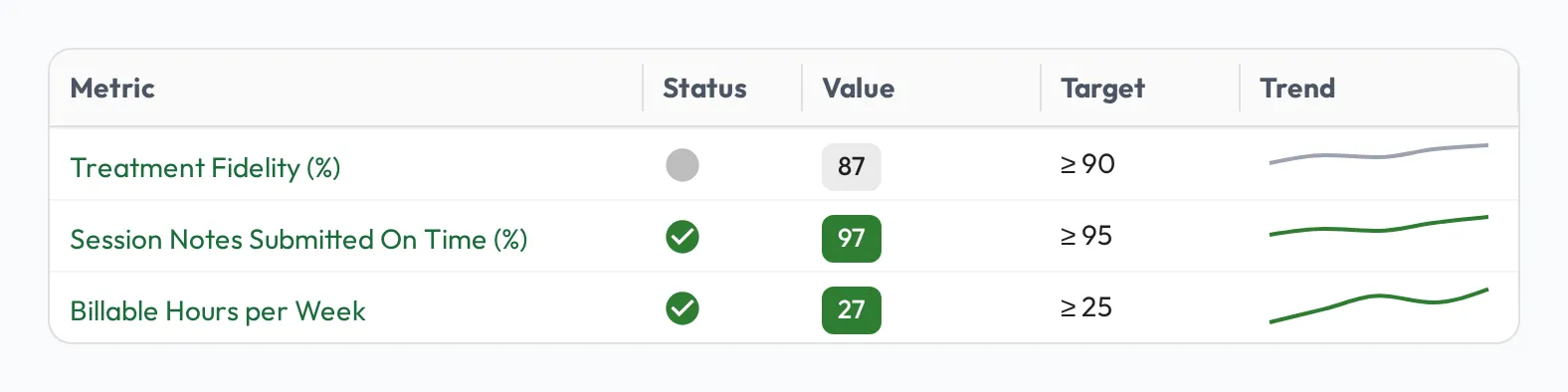
Section titled “Role metrics: a KPI per person”A query does not have to live on a dashboard. Attach one to a role as a role metric, and Behaview runs it for each person in the role (filling in their :staff_id), so one definition produces everyone’s number. Give it a target and a direction, such as an average fidelity score of 90 or above for every RBT, and each person’s profile shows a status-coloured sparkline that updates as the data does, with no one stopping to tally it.
See Role metrics for the full setup.
To act on what the numbers show across a group, see Team capability & skill gaps.