

Role metrics
Role metrics track key performance indicators for a role: the numbers that show whether skill development is translating into results. Unlike a skill observation, which is a discrete, expert assessment captured in a Session Plan, a role metric is assessed automatically and continuously from data.
That makes metrics the right tool whenever a performance characteristic can simply be known from a number rather than judged in a session. They’re complementary to skill assessments: the metric gives staff faster feedback (it updates as the data does) with no overhead for Supervisors (nobody has to sit down and score it), freeing supervision time for the things that genuinely need a human eye.
Use cases
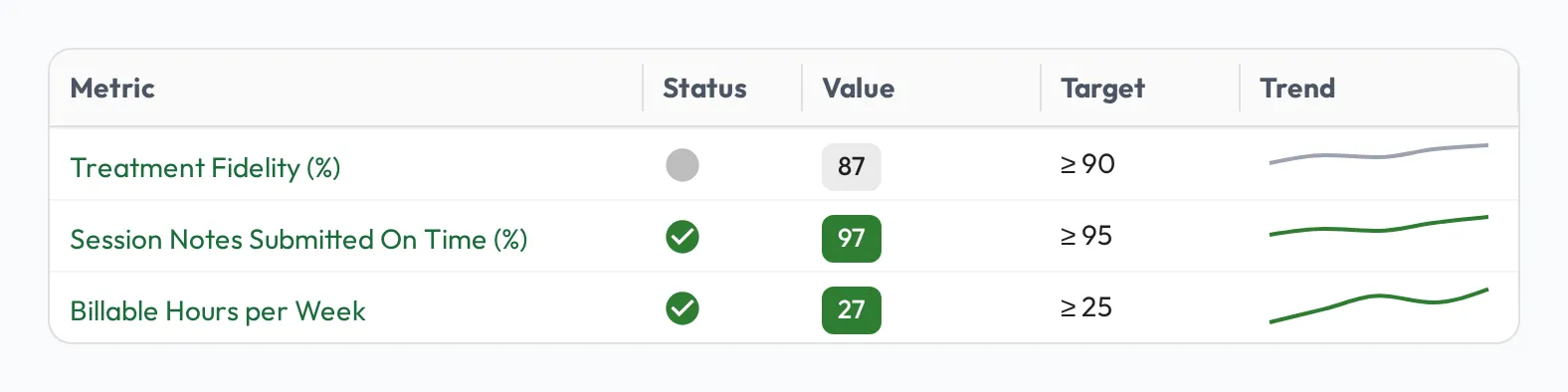
Section titled “Use cases”- KPIs: give staff continuous feedback on the numbers that define their role: an RBT’s billable hours, session notes submitted on time, session cancellation rate, or treatment fidelity scores. As the underlying data updates, so does each person’s sparkline; no one has to stop and tally it.
- Continuous AI insights: use AI to turn unstructured work into measurable signals, then track them as metrics. For example, run a pass over session notes to flag whether each one describes the client’s behavior in observable and measurable terms, and watch the share trend per RBT over time. (See artifact processing for computing these signals from your data.)
How it works
Section titled “How it works”Attach a metric to a role, on the Progression tab when you edit the role, and give it:
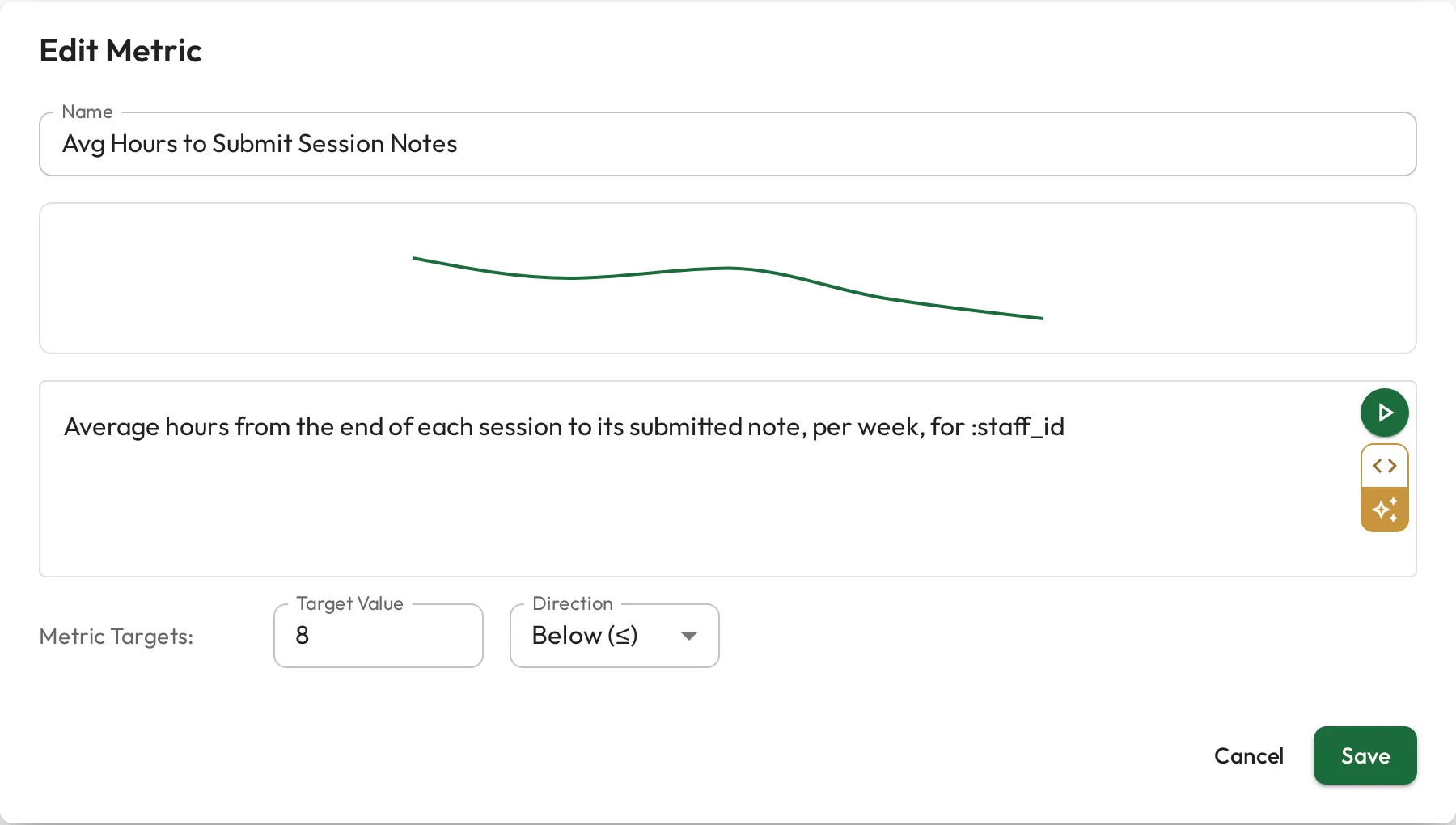
- a Target Value, and a Direction: Above (≥), Below (≤), or Equal (=).
- the query that produces its value (see below).
On each person’s profile, the metric shows a sparkline of the value over time, colored by status (on-track vs. off-track) based on how they’re tracking against the target, so a glance at their profile shows whether they need attention.
The query behind a metric
Section titled “The query behind a metric”A metric is powered by a query over your artifact data, such as session records exported from your practice-management system. You can write it in plain English and let AI generate the SQL, or write the SQL directly; both stay in sync, so pick whichever is easiest and toggle to the other at any time.
The query must:
- filter by
:staff_id, so the metric can run per person: compare it to the column that holds the person, as inWHERE provider_id = :staff_id, - use only artifact sources you have access to, and
- return a time series: a date column and a numeric value column.
The first two are checked when you save. A query that only mentions :staff_id would show everyone the whole organization’s numbers, so it is refused.
:staff_id is the person’s Behaview ID, so the column you compare it to must hold that ID, such as a User column on the artifact source. A provider ID from your practice-management system does not match it on its own.
A few examples to give a sense of the range (toggle each between English and SQL):
Billable hours per week for sessions delivered by :staff_id
SELECT date_trunc('week', session_date) AS week, SUM(billable_minutes) / 60.0 AS billable_hoursFROM sessionsWHERE provider_id = :staff_idGROUP BY weekORDER BY week Percentage of session notes by :staff_id submitted within 24 hours of the session, per month
SELECT date_trunc('month', session_date) AS month, 100.0 * COUNT(*) FILTER (WHERE note_submitted_at <= session_date + INTERVAL '24 hours') / COUNT(*) AS on_time_pctFROM session_notesWHERE provider_id = :staff_idGROUP BY monthORDER BY month Average treatment fidelity score for :staff_id, per month
SELECT date_trunc('month', observed_on) AS month, AVG(fidelity_score) AS avg_fidelityFROM fidelity_checksWHERE technician_id = :staff_idGROUP BY monthORDER BY monthMetrics vs. skill assessments
Section titled “Metrics vs. skill assessments”- Role metrics: continuous, automatic, and data-driven. Best for outcomes you can measure (billable hours, note timeliness, fidelity scores).
- Skill assessments: discrete, expert judgments of observed behavior. Best for capabilities that need a Supervisor to evaluate, such as how an RBT fades prompts in session.
Used together, they connect what people do to the results it produces.