

Certification fields
Every ABA organization’s Staff type has five fields for BACB certification. The BACB reports read them to decide which requirements apply to each person. Clients and Guardians/Parents do not have them.
The fields
Section titled “The fields”| Field | Choices | Fill it in for | How the reports use it |
|---|---|---|---|
| Qualification | BCBA/BCBA-D, BCaBA, RBT | Everyone who holds a BACB certification; leave it blank for anyone else | The BACB Ongoing Supervision Report checks RBTs and BCaBAs against their own requirements, and leaves out BCBAs. |
| Certification ID | Text, such as a BACB ID | Everyone certified | Exported with each supervisor’s Qualification in both reports’ CSV files. |
| Pursuing BACB Certification | BCBA, BCaBA | Trainees only; leave it blank for anyone not in fieldwork | The BACB Fieldwork Report checks the trainee’s months against the requirements for this certification. Change it when they start toward another; every month, past ones included, is then checked against the new value. |
| Fieldwork State | US states and Canadian provinces | Trainees only | Not read by the reports. Enter it as written on BACB verification forms, and leave it blank for fieldwork elsewhere. |
| Fieldwork Country | Countries | Trainees only | Not read by the reports. Enter it as written on BACB verification forms. |
The Fieldwork State and Fieldwork Country lists are long: type a few letters to narrow them.
Who each report checks
Section titled “Who each report checks”| Report | Checks someone when | Against |
|---|---|---|
| BACB Fieldwork Report | Pursuing BACB Certification is BCBA or BCaBA | That certification’s fieldwork requirements |
| BACB Ongoing Supervision Report | Qualification is RBT or BCaBA | That certification’s ongoing-supervision requirements |
A blank field checks no one, so a person with both blank is on neither report. Someone can be on both: an RBT pursuing BCBA has their fieldwork checked as BCBA and their ongoing supervision as RBT.
The fields also decide who sees ABA & BACB Reports: people whose type has them, which by default is Staff only. See Who can see it.
Where to set them
Section titled “Where to set them”-
Open the person’s profile, then Manage › Edit.
-
Fill in the fields in the Custom fields card. The text under each field says what it is for.
-
Select Save.
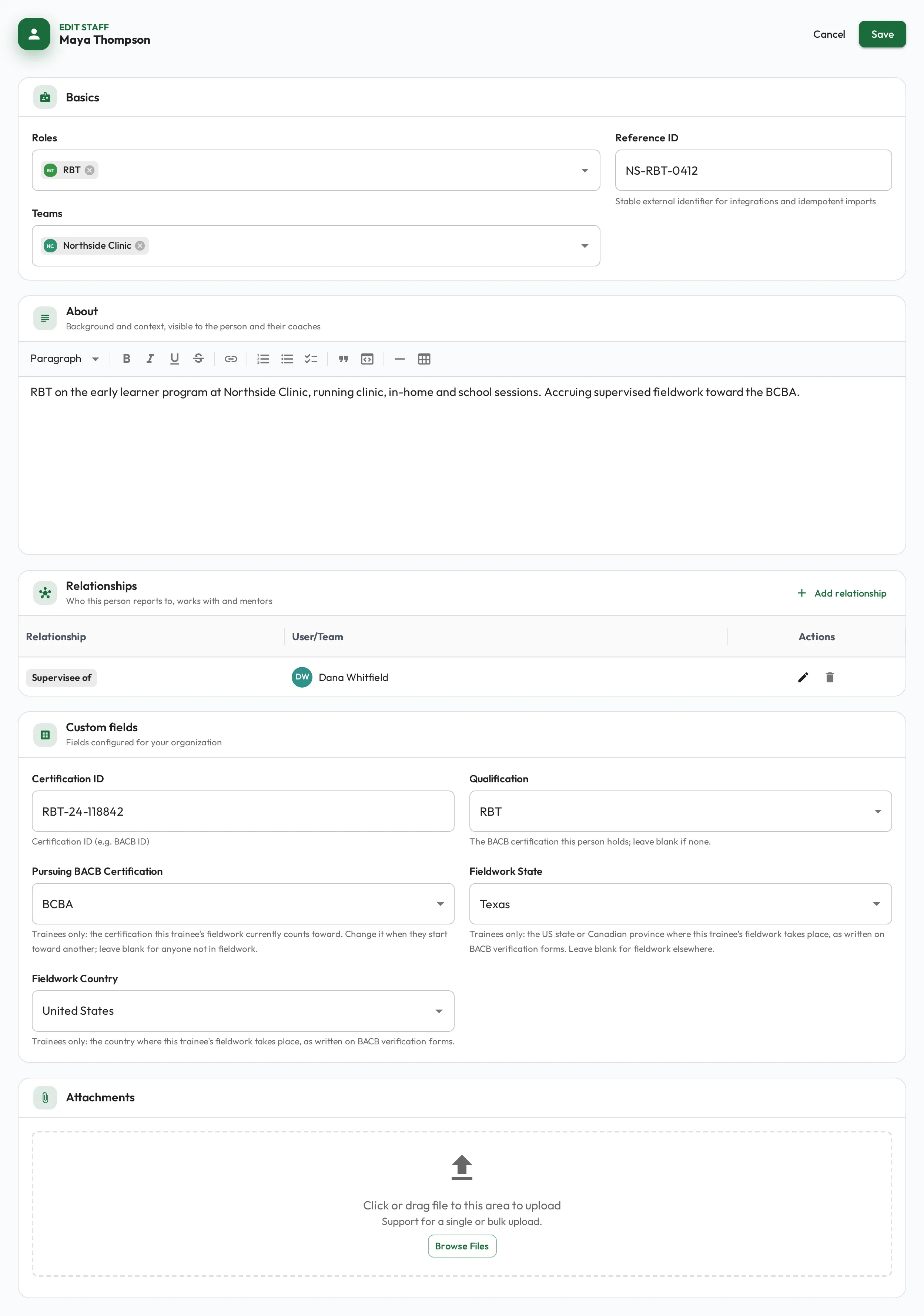
The fields also show, read-only, in Custom fields on the profile’s Details tab. In the Staff list on a computer, set Type to Staff to see the Qualification and Certification ID columns.