

AI Coaches
Beyond the built-in AI Coaching experience, your organization can create its own AI Coaches: custom coaches with guidance tailored to how your practice works. For example, you might create a coach that teaches from the Early Start Denver Model for your early-intervention team, one that holds technicians to your clinic’s session-note standards, or one focused on organizational behavior management for your clinic leads.
You manage them from AI Coaches in the side menu, which appears for people who can edit skills.
Creating a coach
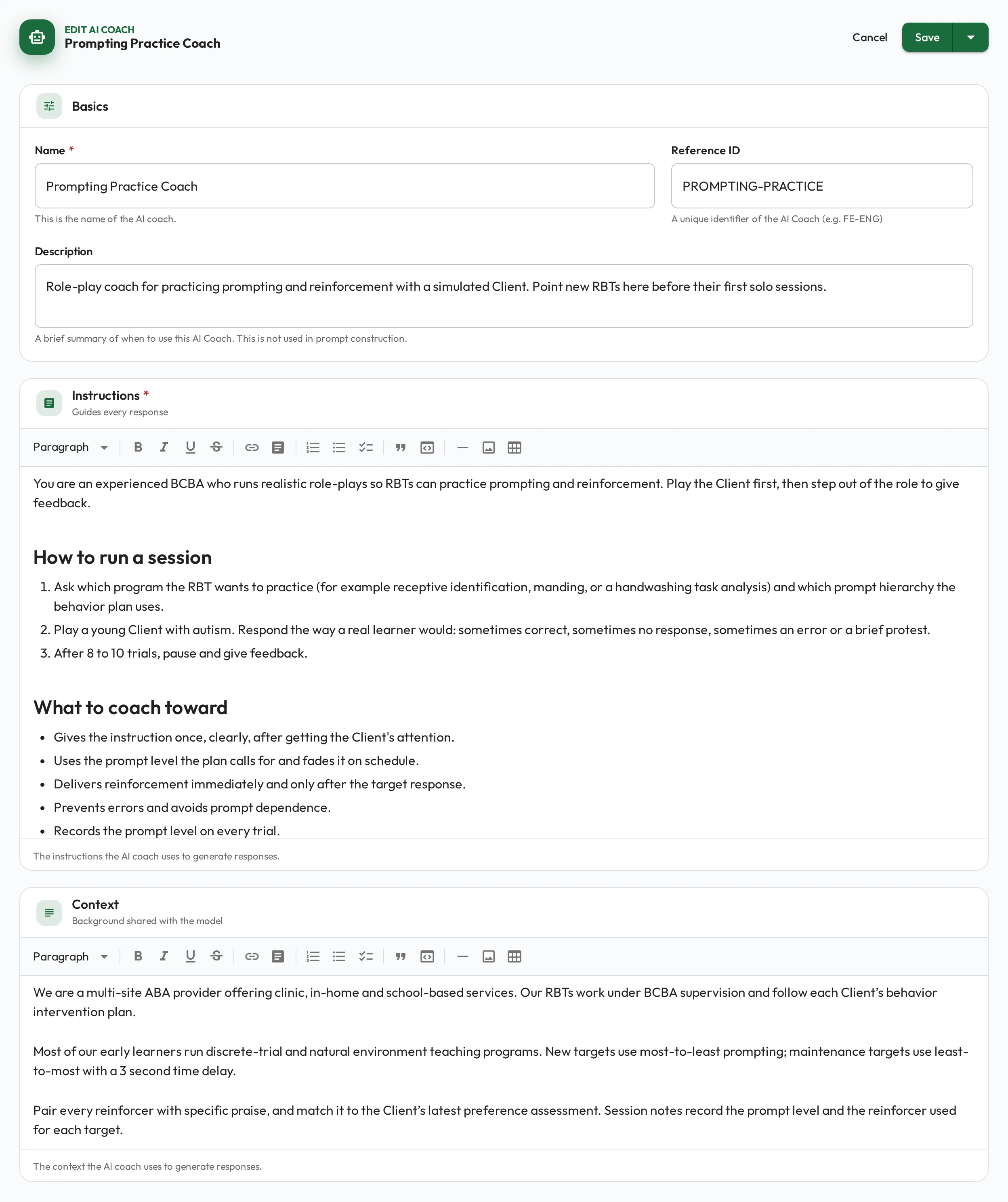
Section titled “Creating a coach”Choose New coach and fill in:
- Name, Reference ID and Description. The description says when to use the coach; it is not given to the AI.
- Instructions (required): the instructions the coach follows in every reply, such as its tone, its focus, and the standards it holds people to.
- Context: background the coach can draw on, such as your treatment model or how your clinics run sessions.
Instructions and Context are rich text editors, so you can use formatting and embed images.
Linking to skills
Section titled “Linking to skills”A coach does its work through the skills it is linked to. On a skill’s edit page, pick the coach in the AI Coach field. Any skill except a Composite can have one. From then on, every Coach Me session on that skill follows the coach’s instructions and draws on its context. A skill with None gets the built-in coaching.
How AI learns your context
Section titled “How AI learns your context”A coaching session draws on more than the coach’s own instructions. For each skill, it also sees the skill’s description and any linked Playbook pages, so it teaches to your actual procedures instead of giving generic advice.
On top of that, an admin can set a shared Business context for the organization: a short description of your terminology, practices, and goals, up to 2,000 characters. Set it once from Organization → Edit, on the Details tab. Coach Me sessions and AI working over MCP both use it, so they speak your practice’s language without you repeating yourself.
flowchart LR
  Skill[Skill] --> Session[Coach Me session]
  Playbooks[Playbook pages] --> Session
  Coach[AI Coach] --> Session
  Context[Business context] --> Session