

Importing & shaping data
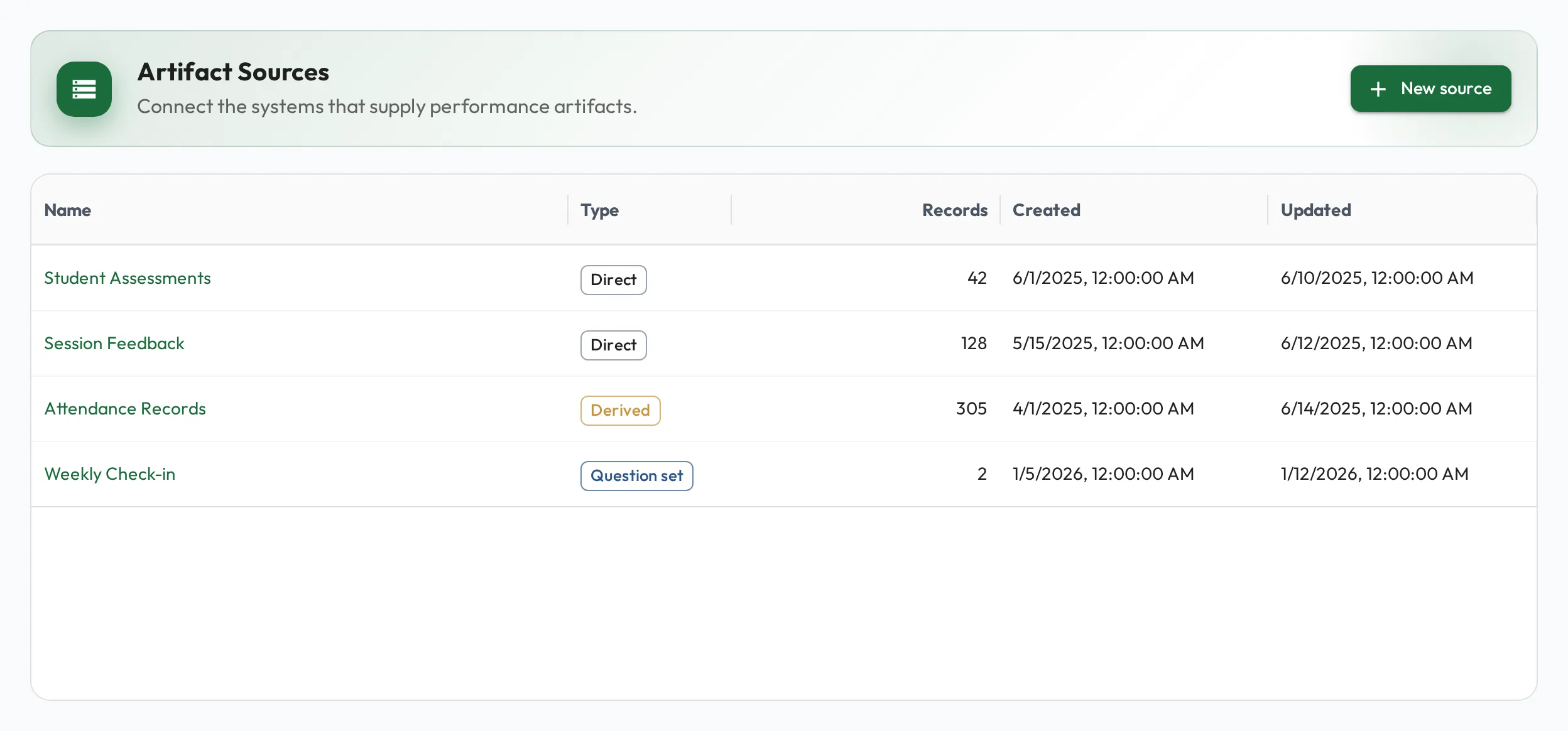
To report on results alongside skill development, you first need the results in Behaview. Artifact sources bring outside data in, such as session records exported from your practice-management system, treatment-fidelity checks, or parent-training attendance, and turn it into tables you can query, chart, and measure per person with role metrics.
Get data in
Section titled “Get data in”-
Create a source under Artifacts for a kind of record, such as delivered sessions, cancellations or fidelity checks. Each new field in your data becomes a column as it arrives, with its type worked out from the values, so you do not have to set columns up first.
-
Load the records, two ways:
- CSV for a one-off or periodic load: select Upload CSV on the source. Each column header in the file becomes a column, except Reference ID, which identifies the record.
- API for repeated feeds: send records in batches as your other systems produce them.
-
Route the columns you care about. A record can be any JSON shape, and a column routes a JSON path (even a nested one) to a typed value. Load records as they are, and add or re-route columns later.
Shape data with derived sources
Section titled “Shape data with derived sources”Imported data is rarely in the exact shape you want to report on. A derived source is a new source whose rows come from a query over one or more existing sources: the place to total sessions per RBT per month, join cancellations to scheduled hours, or average fidelity scores by clinic. Its rows are saved, so you can query and chart it like any other source.
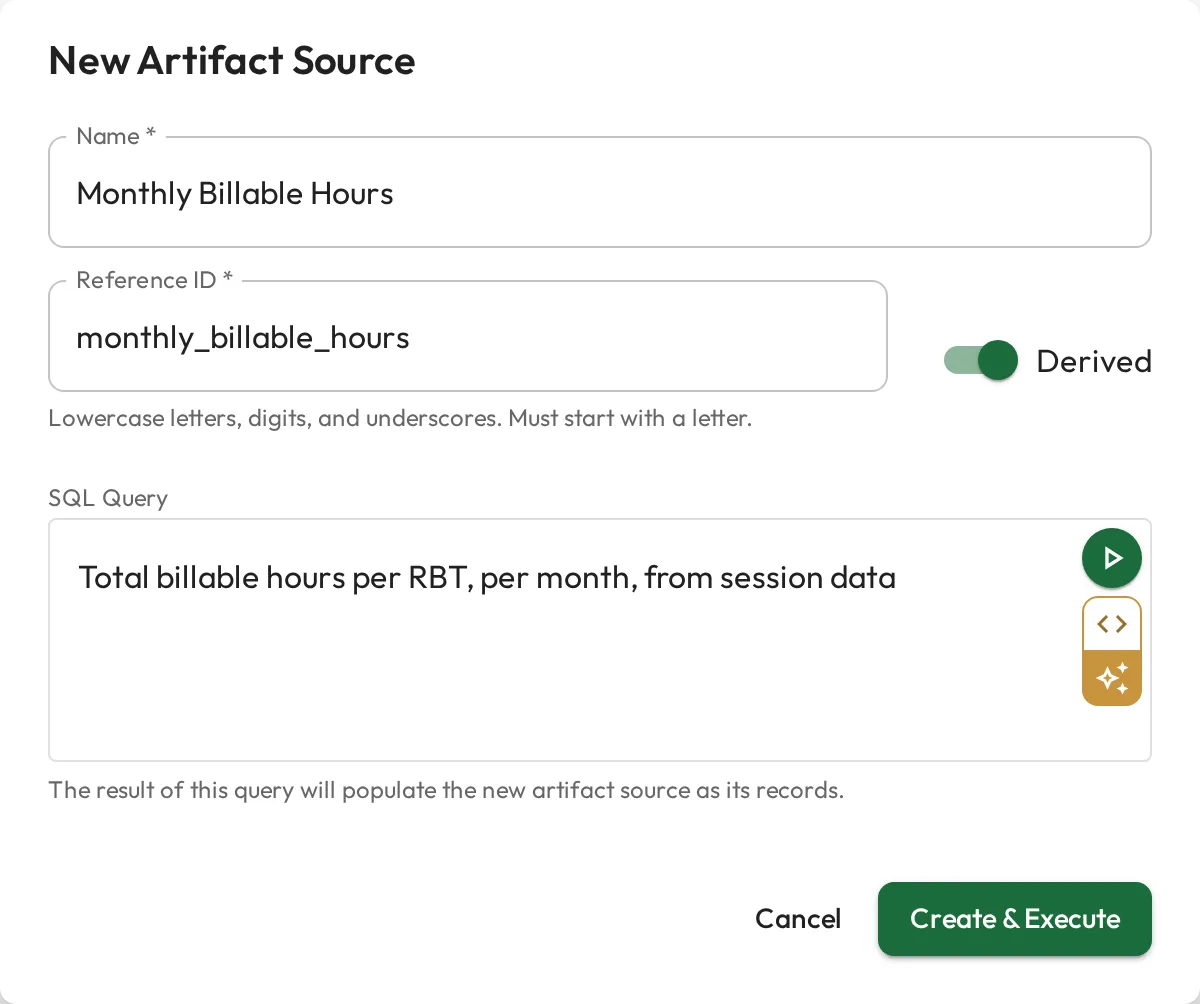
On a source’s Processing tab, an augment processor is a query that adds computed values, such as a fidelity band or a session-length bucket, to the records already there. Either way, the shaping happens once, inside Behaview, with no separate warehouse or BI tool.
With clean data in place, turn it into KPIs and analytics.