

Quick notes & observations
The best supervision evidence is captured in the moment, not reconstructed from memory when the monthly Session Plan comes round. When you see something worth recording, a well-timed prompt fade, a missed data point, a strong pairing with a new Client, capture it on the spot, against the person or against a skill, and it is waiting for you at the next session.
Two ways to capture
Section titled “Two ways to capture”Jot a quick note
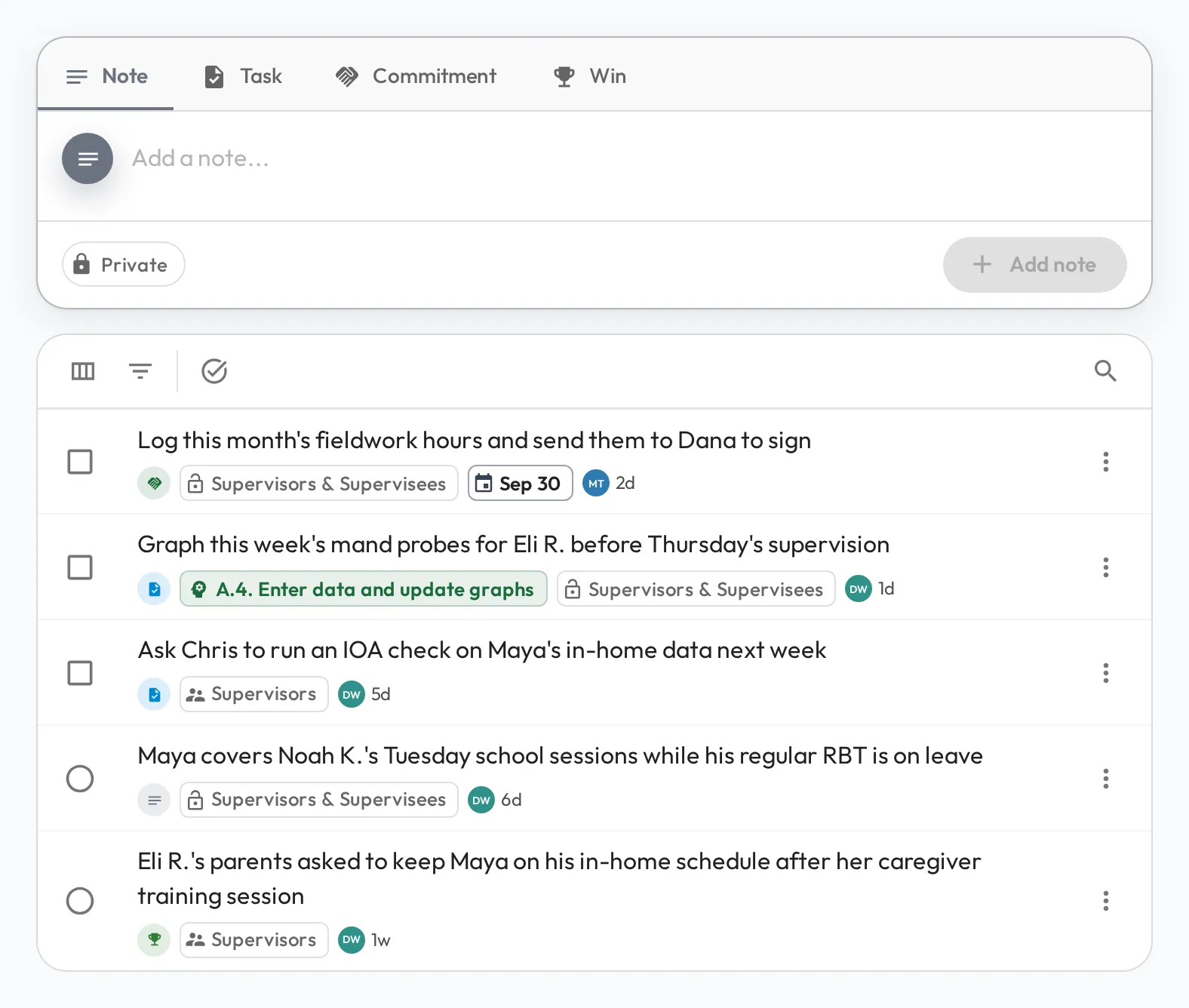
Section titled “Jot a quick note”When something is worth remembering but is not a skill score, capture it as a note. On the dashboard, the Add a Note button beside anyone in My Direct Team records a note against them in seconds. Choose Note, Task (something to follow up), Commitment (something they agreed to do) or Win (something to recognize), and set who can see it. A new note starts Private, visible only to you.
Record a direct observation on a skill
Section titled “Record a direct observation on a skill”When what you saw demonstrates a skill, such as following a behavior intervention plan or recording ABC data correctly, score it directly from the person’s profile, with no Session Plan needed. A direct observation is saved as a draft: captured now, shared later.
Drafts surface in the next Session Plan
Section titled “Drafts surface in the next Session Plan”Draft observations appear under Direct Observations in the person’s next Session Plan. That makes the session the place to give the feedback: talk it through together, then turn on Shared to publish it (where it counts toward progress and mastery), or delete it if it no longer fits.

See Share drafted observations for the detail, and Overlaps in clinic, home or school for capturing the same way from a tablet during a session.