

Routine 1:1 supervision
A routine 1:1 supervision is a Session Plan. Use it to review cases and take notes as you always have, and when it fits, score a skill or two: how the RBT ran a program, how they took data, how they responded to a challenging behavior. Over months of supervision, those few observations build a real picture of how the person is developing, and the same Session Plans make up their BACB record.
Run the supervision as a Session Plan
Section titled “Run the supervision as a Session Plan”-
Plan it, or start it in one click. Plan a Session Plan with the Supervisee and the skills you want to cover, or start one from the dashboard (below). For a supervision that counts toward BACB requirements, set Type to BACB Supervision, and set Starts and Ends to when it actually ran: the BACB reports count the time between them.
-
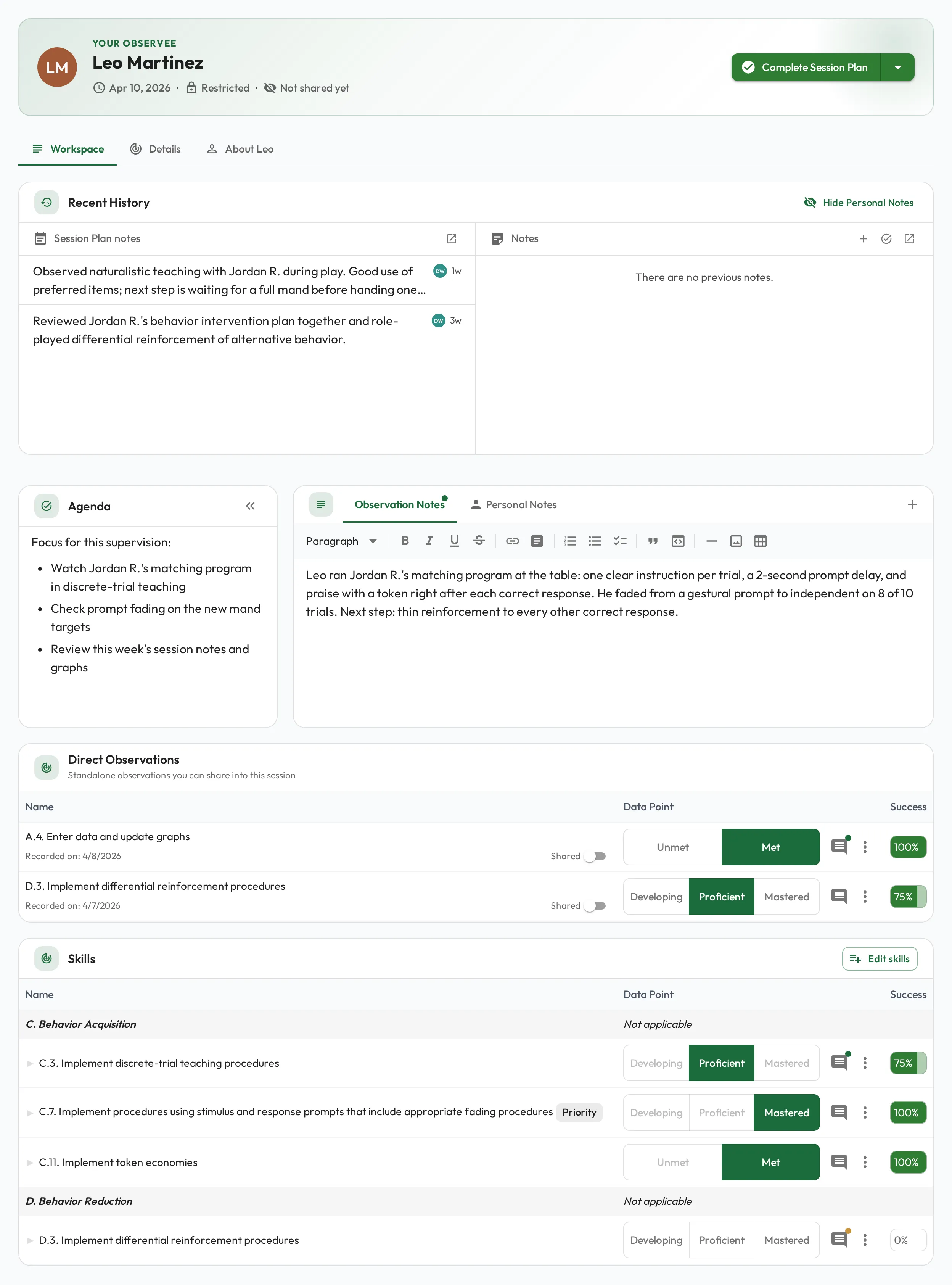
Work through what’s outstanding. Recent History at the top of the session shows the person’s notes from earlier Session Plans and their open notes, tasks and wins, so you cover what matters and mark each item discussed as you go.
-
Score a skill or two. Pick one or two skills to observe alongside the conversation, such as an RBT Task List item you are working on together. You do not have to score everything; rate only what came up. See Scoring skills.
-
Record the BACB details. On the session’s Details tab, fill in the Custom fields: Supervision Type (Individual or Group), Format, Activity Category, and Client Observed or Observation Minutes if you watched them work with a Client. See BACB Session Plans.
-
Complete it and set the next one. Select Complete BACB Supervision. Only completed Session Plans count in the BACB Fieldwork Report and the BACB Ongoing Supervision Report. Regular sessions are what make supervision systematic rather than occasional.
Short on time? Use Quick Start
Section titled “Short on time? Use Quick Start”You do not need a planning step to get a well-prepared session. Everyone you supervise appears in My Direct Team on your dashboard, and the Quick Start button drops you straight into a session: you as Observer, them as Observee, and up to five of their priority and required skills already selected. No form to fill.
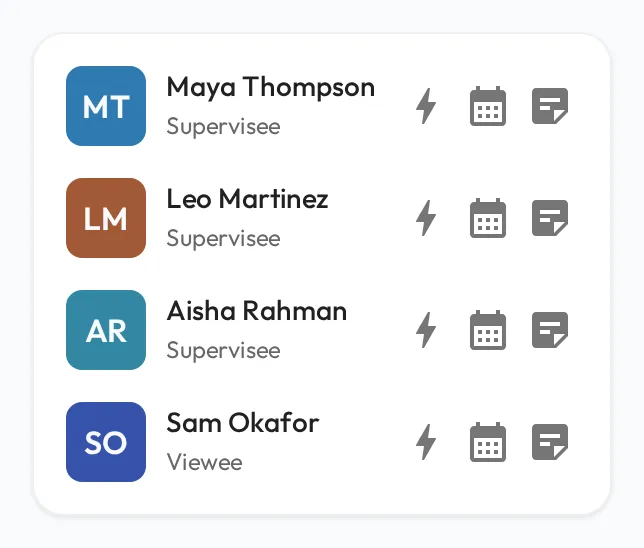
Quick Start uses your organization’s default type, shown as Session Plan, and that type does not count toward BACB requirements. When the session should count, open the menu on the Complete Session Plan button, choose Edit Session Plan, and change Type to BACB Supervision.
Keep the rhythm
Section titled “Keep the rhythm”Between sessions, capture what you see with quick notes and observations, so the next supervision starts with things to discuss. To check that each RBT’s month meets BACB’s ongoing-supervision requirements, see Ongoing supervision for RBTs and BCaBAs.