

Calculating mastery
A person’s profile shows where they stand on each skill. This page explains how those scores, and the Proficient and Mastered levels, are worked out.
How scoring works
Section titled “How scoring works”An observation scores one skill on a 0–100 scale, derived from the skill’s assessment type: a yes/no, a rating, or a set of trials all resolve to a score. For a skill scored in trials with prompts, the score is the share of trials done independently; a correct response that needed a prompt does not raise it. A skill’s standing on the profile is built from its recent observations, so the picture reflects current, demonstrated ability rather than a single old result.
Proficient and Mastered
Section titled “Proficient and Mastered”Each skill defines a mastery bar with two parts:
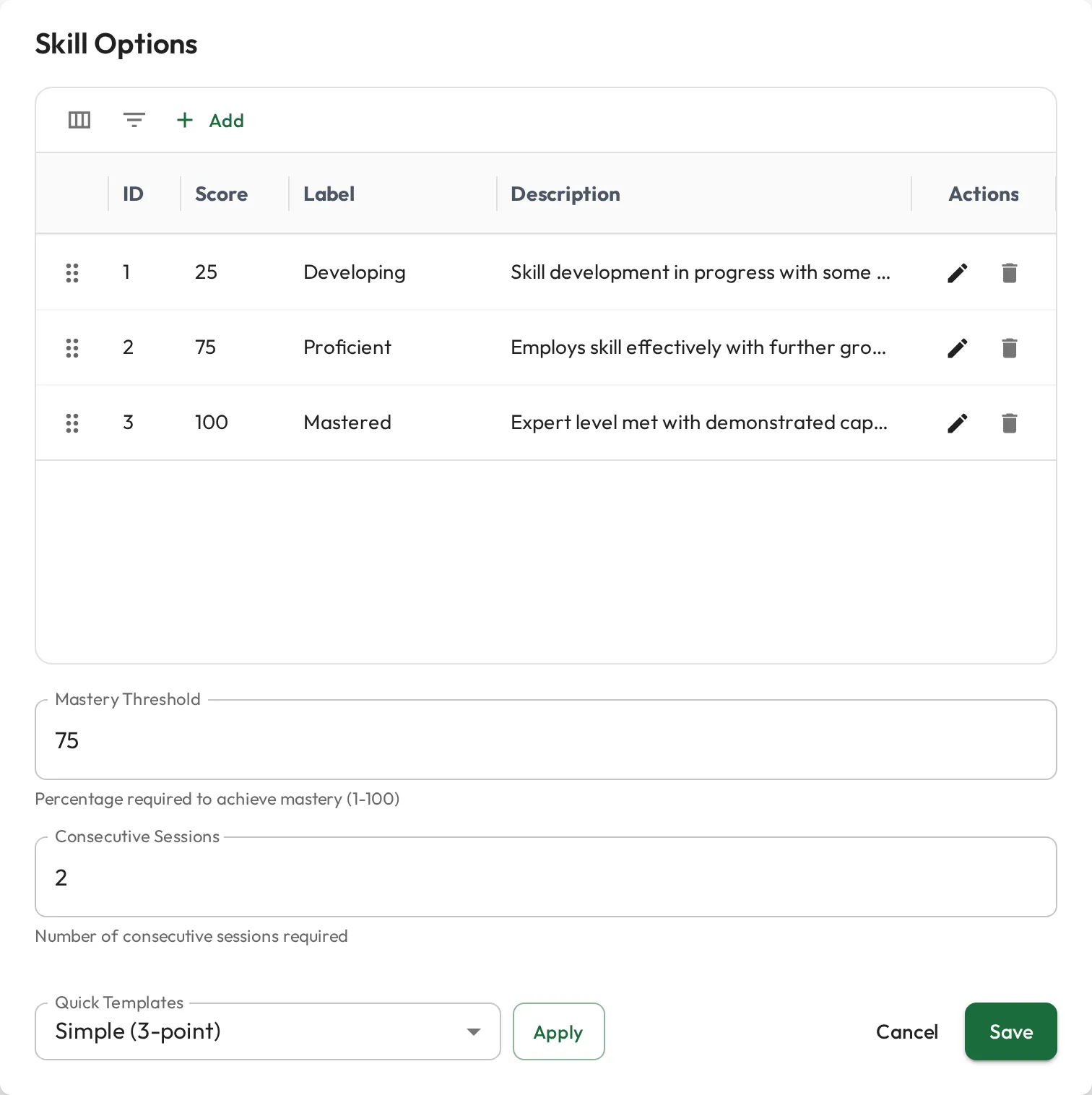
- a score threshold (0–100) the person needs to reach, and
- a number of consecutive sessions at or above that threshold. Leave it blank and the skill can only be Proficient through assumed proficiency.
A skill is Developing until it reaches one of two levels:
| Level | When | In the Mastery column |
|---|---|---|
| Proficient | The person’s newest scores meet the threshold in the required number of sessions in a row, or the skill is assumed proficient. | A gold medallion |
| Mastered | Proficient through those sessions, and the newest score is a perfect 100. Assumed proficiency does not count toward it. | A solid gold medallion with the star cut out |
A newer score below the threshold ends the streak, and the skill is no longer Proficient until they build a new one. A newer score below 100 ends Mastered. A composite skill has no score of its own: it is Proficient once every skill inside it is Proficient, and Mastered once every one is Mastered. Requiring consecutive sessions makes proficiency reflect consistency rather than a lucky one-off.
For example, the RBT Test Content Outline (3rd Edition) items in the Skills Library, such as A.1. Implement continuous measurement procedures, have a threshold of 80 over 2 consecutive sessions. If a Supervisor records 10 trials and the RBT performs 8 of them independently, the RBT scores 80 for that session; a second session at 80 or higher makes the item Proficient.
Until a skill is Proficient, its Mastery column fills the medallion in as it progresses, starting from a grey star. For a single skill with a threshold and consecutive sessions set, the gold share is how many sessions in a row they have met the threshold so far. For a skill with sub-skills, such as a composite skill, the medallion fills in slices across its direct sub-skills, clockwise from the top: a solid gold slice for those Mastered, then a gold medallion slice for those Proficient, with the rest left as the grey star. A composite skill that reached Proficient through its sub-skills keeps a solid slice for each Mastered sub-skill until all of them are Mastered.
Both parts live in the skill’s options, alongside how its assessment type maps to scores:
Which scores count
Section titled “Which scores count”Only completed observations with a score, recorded by someone other than the person, count toward mastery, and they count the same for everyone who views the profile:
- A score recorded in a Session Plan counts once the Session Plan is done and Share notes and data with Observee is on. That is the default, and completing a Session Plan turns it on. Turning sharing off, or reopening the Session Plan, takes its scores out again.
- An observation without a score (notes only) is skipped. It neither breaks a streak nor counts toward one.
Your own draft, or a score from a Session Plan that is not shared, can still appear among the scores you see, but it does not count.
Assumed mastery
Section titled “Assumed mastery”Sometimes a person clearly already has a skill, and you don’t want it showing as a gap from day one. On the Progression tab, choose Assume proficient from the skill’s row menu, then Save on the Skills card, to mark it Proficient for that person without a recorded session. It shows as a dashed gold medallion, and Remove assumed proficiency in the same menu undoes it. It’s useful when:
- you’re onboarding an experienced RBT you already know is proficient, or
- the skill was demonstrated outside a Session Plan, for example during an interview.